
▦
P&L calendar
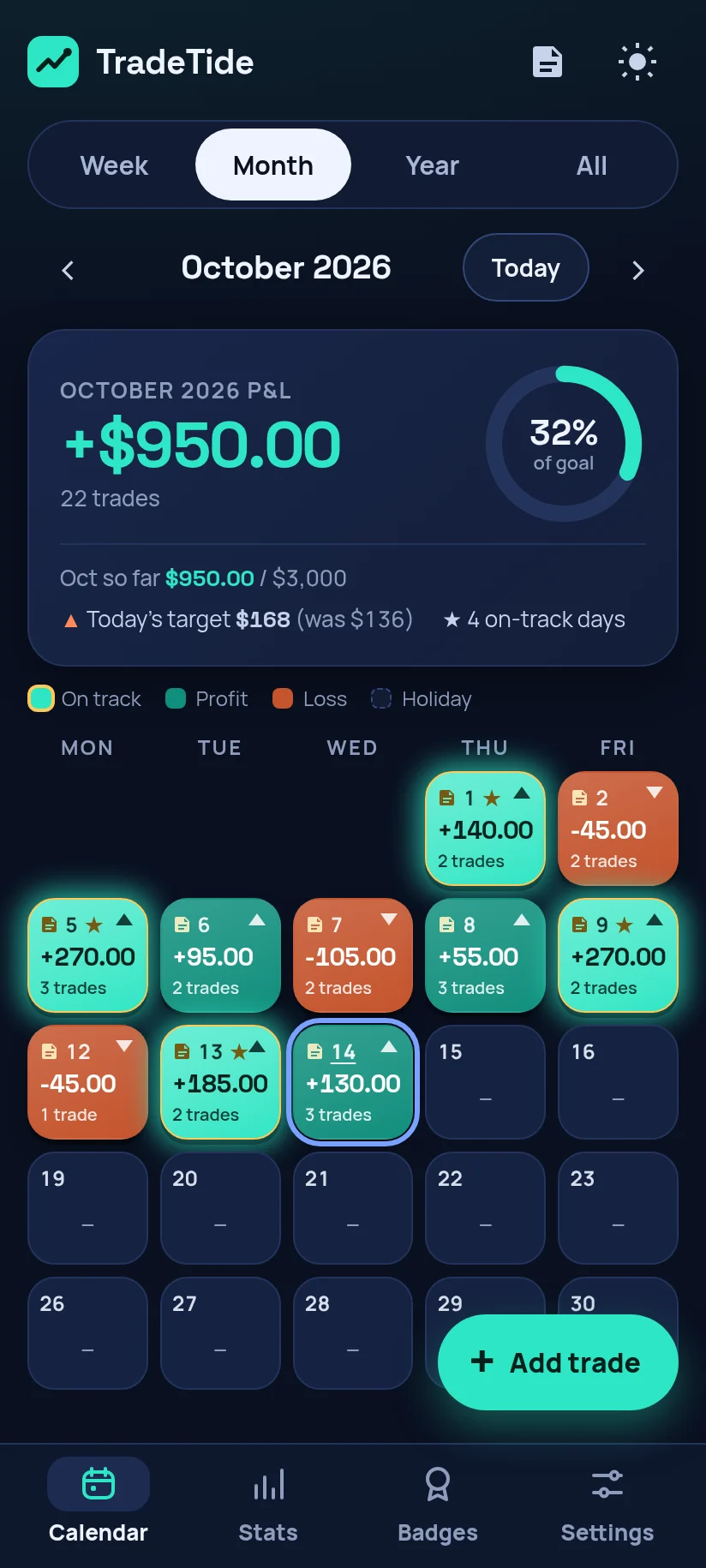
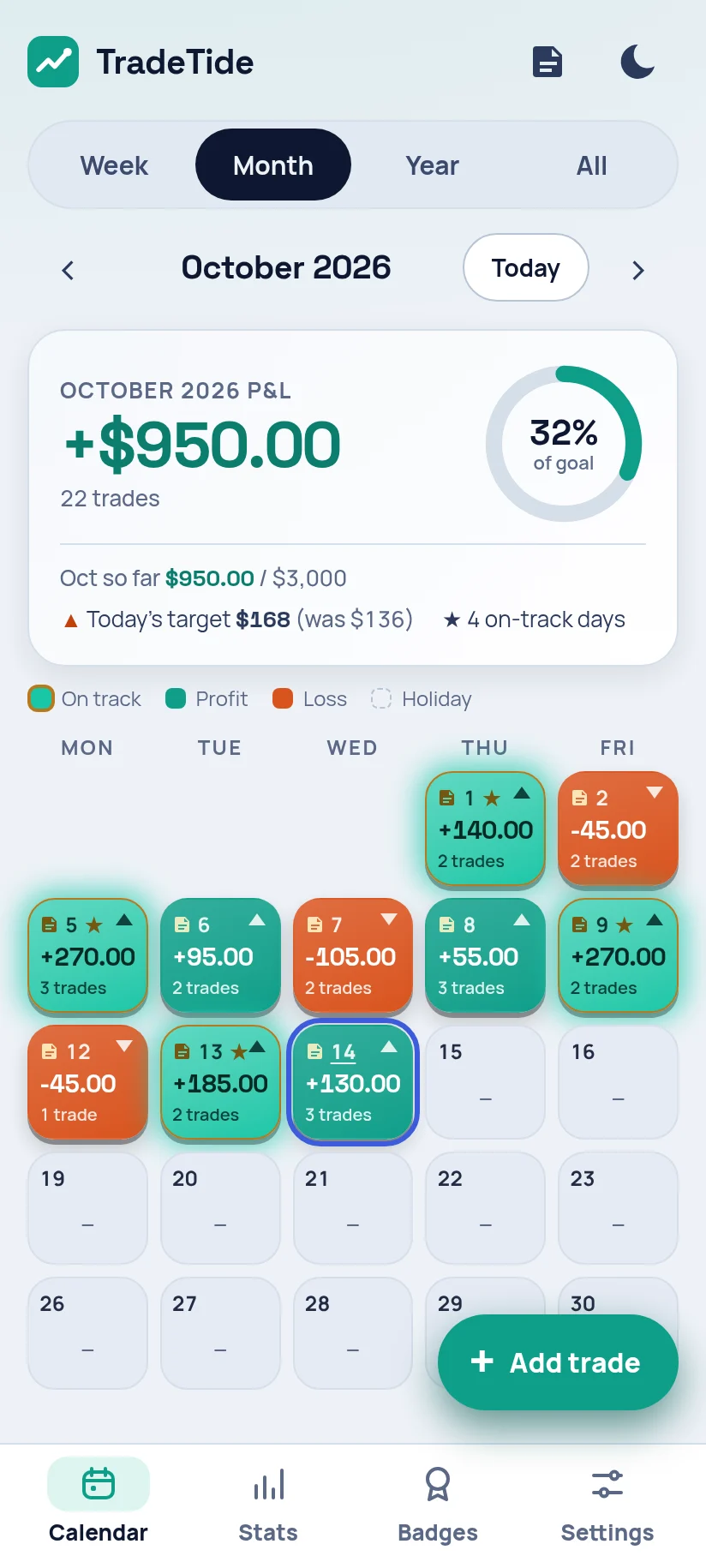
Every day is colored by its result, so you can see a month of trading at once. Switch between week, month, year and all-time views.
Trading journal for options & stock traders
TradeTide puts your P&L on a calendar, so the good days, the bad streaks and the patterns behind them show up right away. Log trades in seconds and the ×100 options math is done for you.
Free web app with no sign-up. Your data stays on your device.
Made by a solo developer who trades options and wanted a journal he'd actually keep using.
Every day is colored by its result, so you can see a month of trading at once. Switch between week, month, year and all-time views.
Enter the contract, entry, exit and quantity. TradeTide applies the 100-share multiplier for you.
Write down what went well and what didn't. Your notes sit right next to the day's P&L.
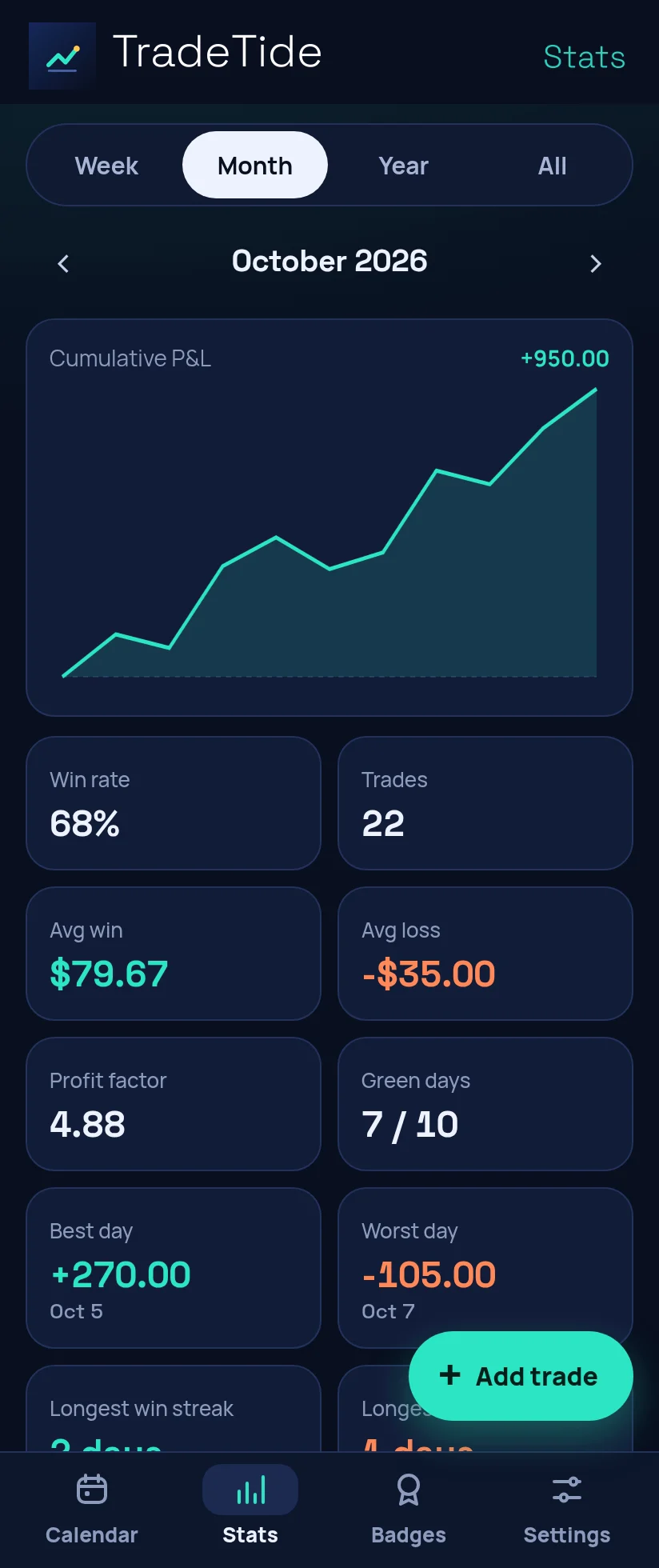
Win rate, average win, profit factor, best and worst days, and your results by ticker, all worked out from your own trades.
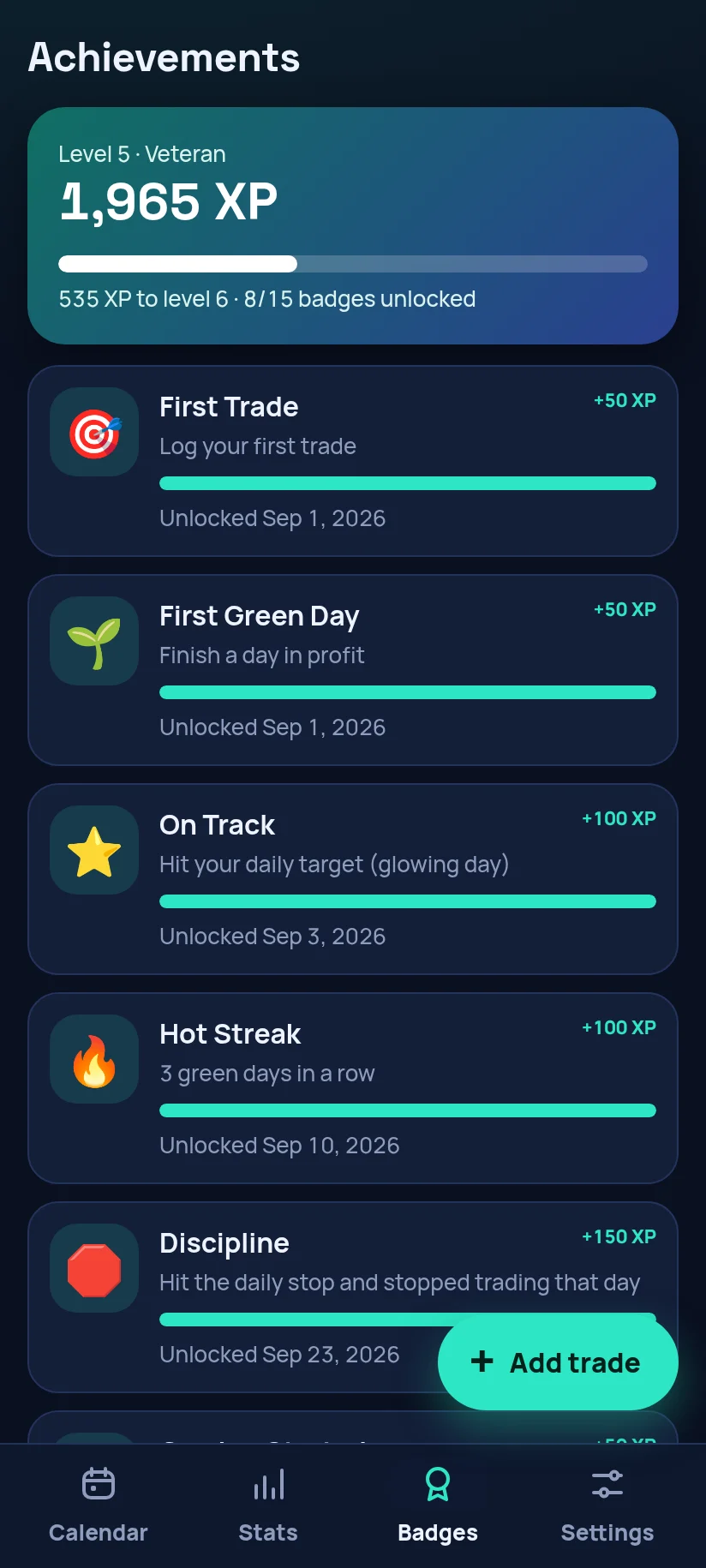
Earn badges for sticking to your process, not just for green days.
Set a goal for the month and get a daily target based on what's left, so one big day doesn't push you to force more trades.
Bring in past trades from a spreadsheet or broker export, and take your data with you whenever you want.
Keep your phone, PC and the web app in sync. Sign in with Google. Apple and Microsoft sign-in are coming soon.
A quick tour: the P&L calendar, options math, streaks, goals and sync.
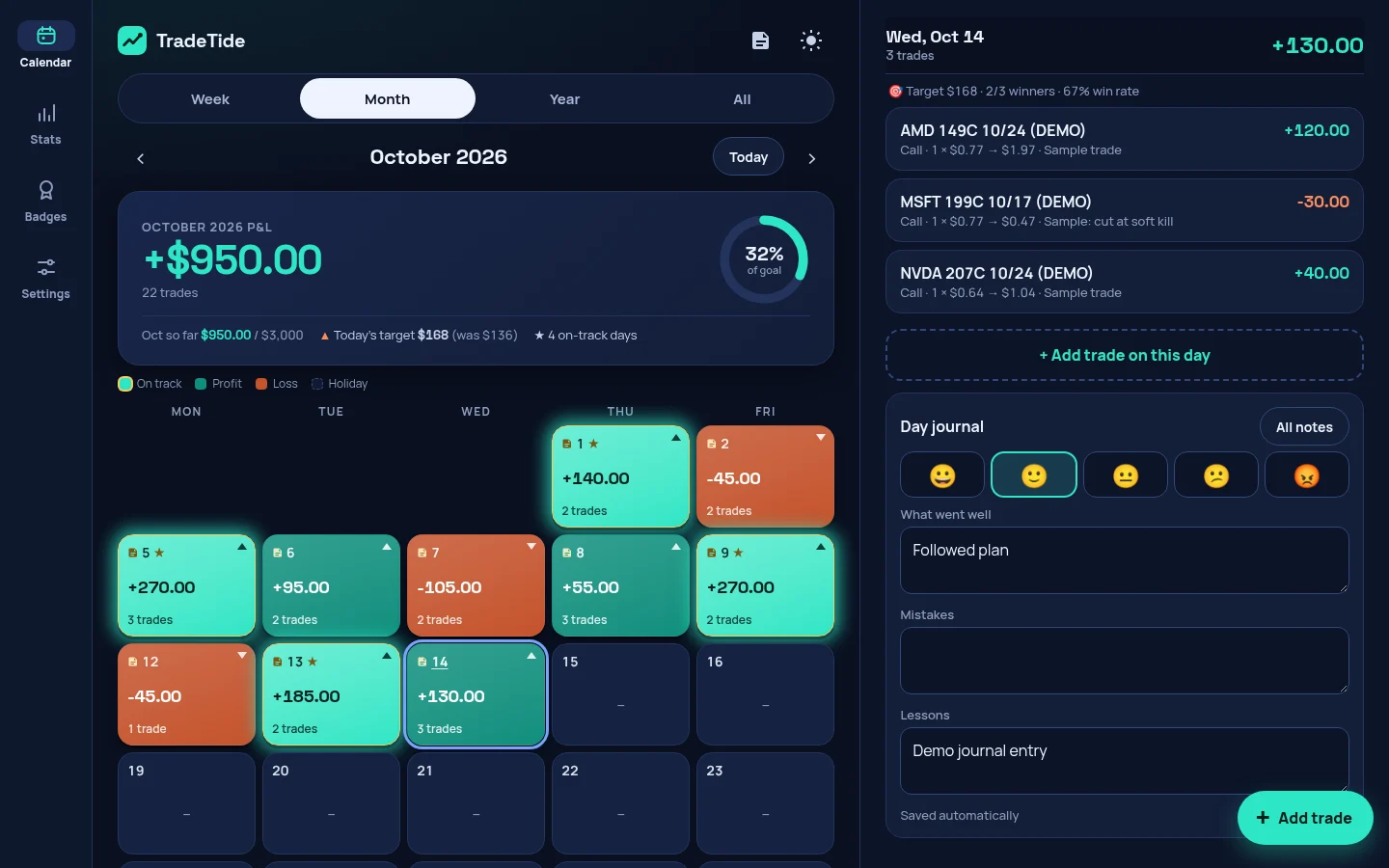
Screenshots show example data.
No ads. Pay once or monthly, and cancel monthly any time.
$0
$4.99/mo
$29 one-time
Going up to $39.99 soon
How to unlock Pro: download the app free, then sign in with Google in the app. Paste your Gumroad license key once to link it, and Pro follows your Google account on every device.
Free direct downloads, no account needed to install. Pro checkout is handled by Gumroad.
No. TradeTide is a journaling tool for recording and reviewing your own trades. It gives no recommendations and isn't financial, investment or tax advice.
On your device, in the app's local storage. Nothing is uploaded unless you turn on Pro sync. You can export a JSON backup at any time, and Pro also exports CSV.
Pro sync keeps your trades and notes the same on the web, Android and Windows. Sign in with Google and your journal is stored securely in our cloud so all your devices stay up to date. Apple and Microsoft sign-in are coming soon.
After you buy, Gumroad emails you a license key. Sign in with Google in the app and paste the key once. It links to your account, so on your other devices you just sign in with Google. You can also paste the key on each device without signing in. Monthly keys stay active while your subscription does.
Refunds go through Gumroad under its refund policy. Also, if Pro doesn't work on your device as described and we can't fix it, you can ask for a full refund within 14 days of purchase by emailing [email protected]. See the Terms for the details.
The Android app isn't on Google Play yet, so you install the APK directly (this is called sideloading). Android will ask you to allow installs from your browser or file manager. A Play Store release is planned.
Yes. The installer isn't code-signed yet, so SmartScreen shows "Windows protected your PC" for new apps. Click "More info", then "Run anyway". Or use the web app, which needs no install.